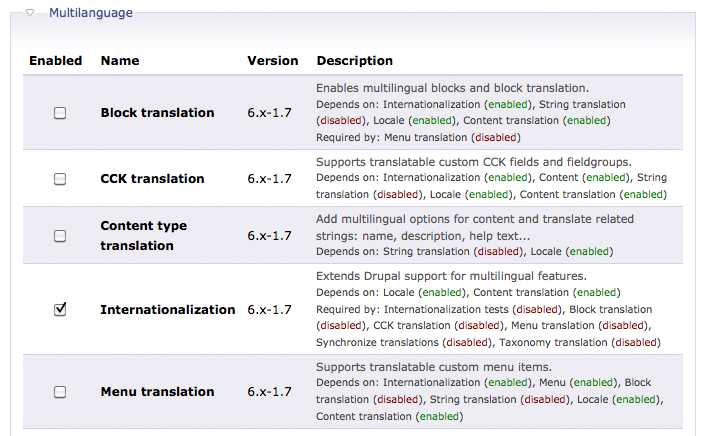
As a powerful CMS, Drupal supports many different language. This post shows you how to apply language pack to your Drupal.
1. Download an install the i18n module at here.
 Continue reading Drupal – Apply Language Pack

As a powerful CMS, Drupal supports many different language. This post shows you how to apply language pack to your Drupal.
1. Download an install the i18n module at here.
Continue reading Drupal – Apply Language Pack
In previous posts, we created a custom module implement the hook_block() function.
We haven’t implemented the block configurable values. Let’s do it now.
We want the block to store a number and a string. so we add these 2 fields in the block configuration page. Here is the new custom.module. Continue reading Drupal – Add Configurable Values to Block
Previous related posts:
The above posts show you how to create and customized the content of a block. Sometimes, we may need to show some database data in the block. So we need to write a SQL. For example, i want to show a list of node titles and the corresponding url links of the Song content type.
1. Modify the custom.module Continue reading Drupal – Show Database Data in Block by SQL
In the Drupal template architecture, you can customized a specific block just by creating a .tpl.php file in the theme folder. For example, the block.tpl.php determine all the block layout in your Drupal theme.
We can also override the design layout of the block in our customized module which we created yesterday(Drupal – Create a Block). First we have to create the corresponding .tpl.php for our block. In this case, we need a block-[module-name].tpl.php.
So create the block-custom.tpl.php
<strong>Hello World</strong>
<!-- get the block details from the $block variable -->
<p>Subject:<?php print $block->subject ?></p>
<p>Content:<?php print $block->content ?></p>
You can create your own block and customized its content. Drupal provides the hook_block() function for block creation. We can implement this function in our customized module.
1. Create a customized module by creating the following files.
<drupal_root>/sites/all/modules/custom/custom.info
name = Custom module
description = A custom module which create a block
core = 6.x
Sometimes we may want to create mapping in content types. Say, i created an Artist and a Song content types. when i select an artist, i want it to select all the songs which belongs to that artist also. In that case, we need a node reference field in the Artist content type such that every song is mapped to an artist.
So first, create the Song content type with default fields. Then create some songs and fill in the lyrics as node body. Continue reading Drupal – Using Node Reference in View
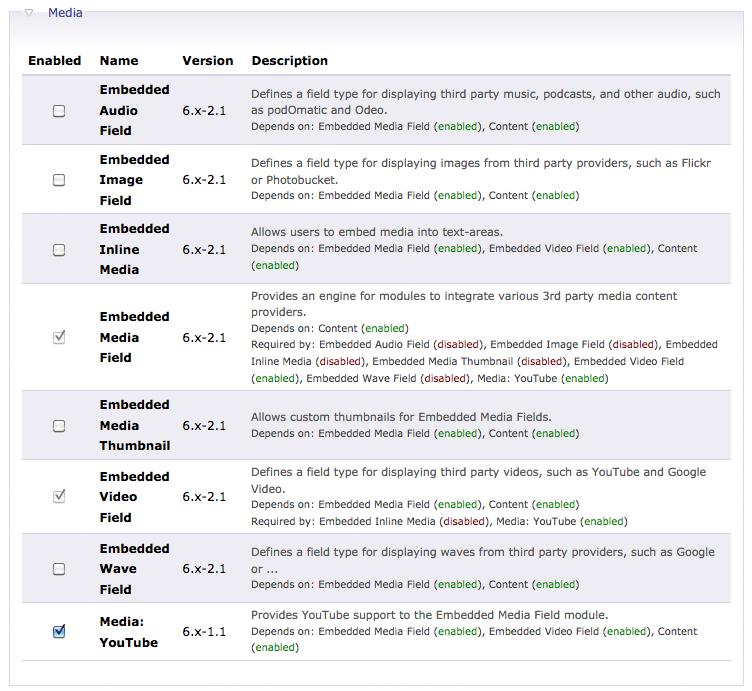
If you want to add a 3rd party streaming video like YouTube into your Drupal. You need the Embedded Media Field module and and the Media: YouTube module.
 Continue reading Drupal – Embedded Streaming Video
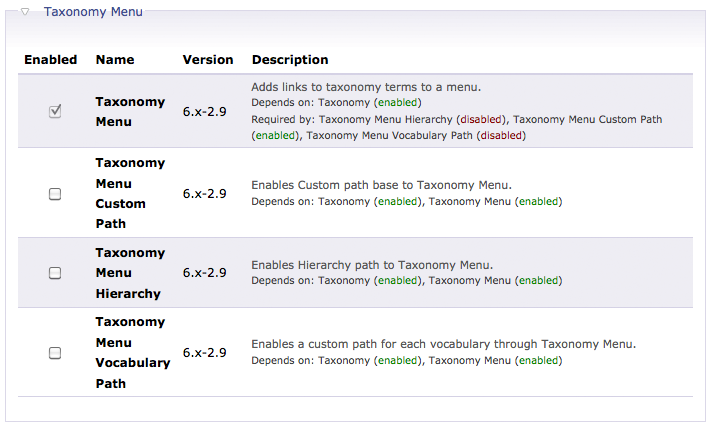
Taxonomy Menu helps you create menus for Vocabulary. First, install the Taxonomy Menu.
 Continue reading Drupal – Create a Taxonomy Menu
Taxonomy allows you to add Categories and Tags to node. Previously i have created some terms/tags for the Stories vocabulary/category.
Drupal – Manage Categories and Tags by Taxonomy
So now i want to add an image for each of the terms under the Stories. So what you need is a Drupal module called Taxonomy Image.
Enable the Taxonomy Image in Drupal. Continue reading Drupal – Add Image for Taxonomy
Taxonomy is one of the Drupal Core Modules. Before you can apply categories and tags on node. You have to define them @ Administer –>> Content management –> Taxonomy.
In this example, i would like to specific some Tags for Stories node type. So i create a Vocabulary called Stories. You can allow user to enter his/her own Terms/Tags or multiple selection in the Settings tab. Continue reading Drupal – Manage Categories and Tags by Taxonomy
 Eureka!