
The generator-angular written by the Yeoman team comes with Bootstrap integration. But instead of using Bootstrap, i would like to use Foundation 5 with Sass. The following example is created under Node.js v0.10.29.
1. Create your project directory. In my case, i will name the project ng-foundation.
mkdir ng-foundation
2. Move to the ng-foundation folder.
cd ng-foundation
3. Scaffold the AngularJS project using the generator-angular as usual.
yo angular
4. Enable Sass with Compass.
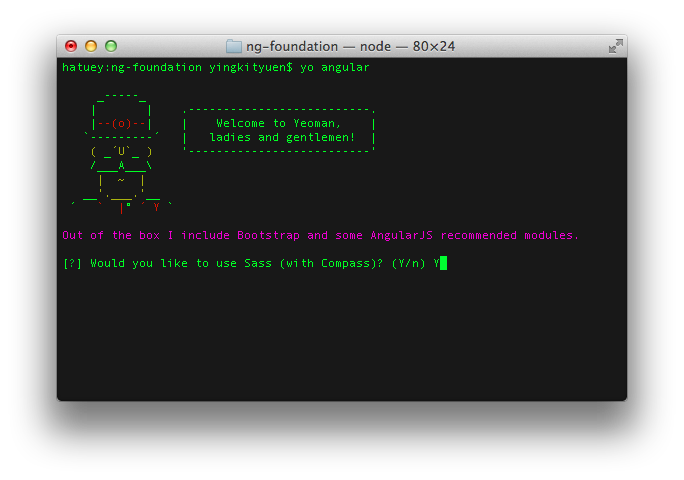
5. No Bootstrap of course.
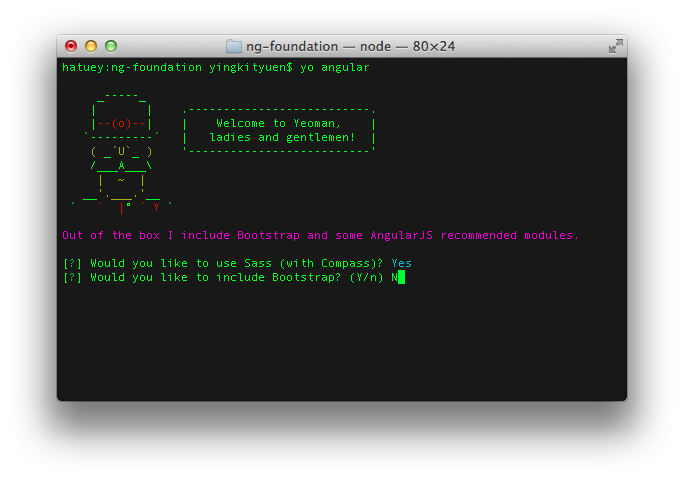
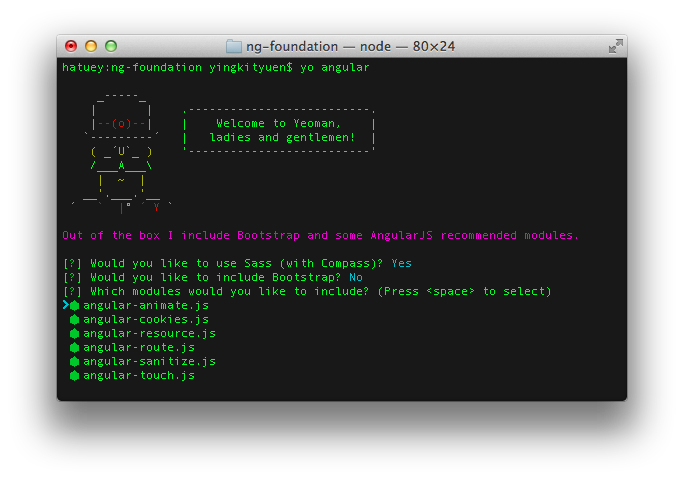
6. Pick the AngularJS modules which you need. In this example, i will include them all.
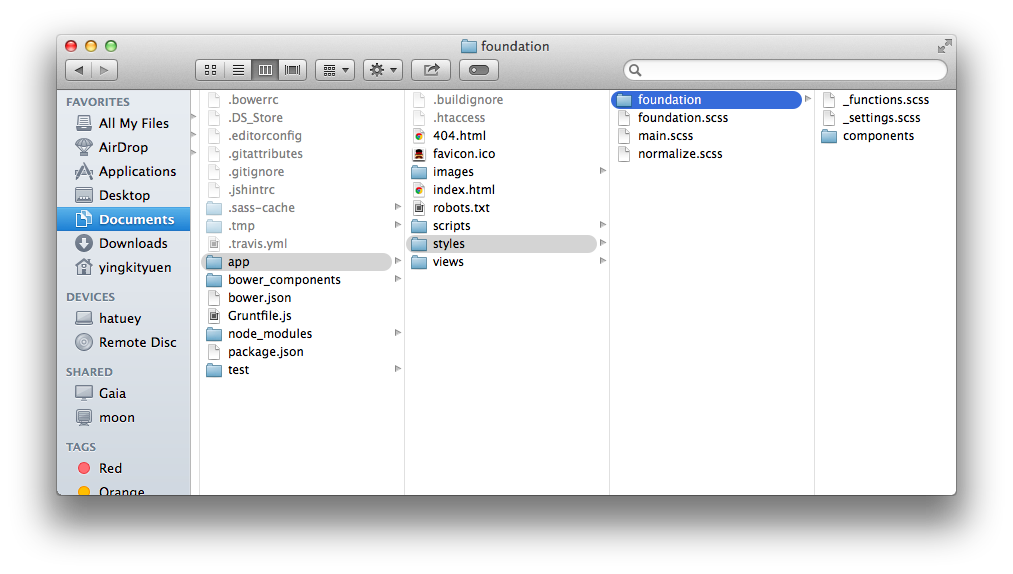
7. To setup Foundation in our newly create project, first we need to include the Foundation 5 CSS. You can get the latest Foundation .scss files on GitHub – zurb / foundation. We only need the following files.
scss/foundation
scss/foundation.scss
scss/normalize.scss
8. Copy them to ./ng-foundation/app/styles as follow.
9. The .scss files would be compiled to .css by the grunt command. Let’s include them in ./ng-foundation/app/index.html.
<!doctype html>
<html class="no-js">
  <head>
    <meta charset="utf-8">
    <title></title>
    <meta name="description" content="">
    <meta name="viewport" content="width=device-width">
    <!-- Place favicon.ico and apple-touch-icon.png in the root directory -->
    <!-- build:css(.) styles/vendor.css -->
    <!-- bower:css -->
    <!-- endbower -->
    <!-- endbuild -->
    <!-- build:css(.tmp) styles/main.css -->
    <link rel="stylesheet" href="styles/normalize.css">
    <link rel="stylesheet" href="styles/foundation.css">
    <link rel="stylesheet" href="styles/main.css">
    <!-- endbuild -->
  </head>
...
10. Add a button in ./ng-foundation/app/views/main.html.
<button>Eureka!</button>

<div class="jumbotron">
  <h1>'Allo, 'Allo!</h1>
  <p class="lead">
    <img src="images/yeoman.png" alt="I'm Yeoman"><br>
    Always a pleasure scaffolding your apps.
  </p>
  <p><a class="btn btn-lg btn-success" ng-href="#">Splendid!<span class="glyphicon glyphicon-ok"></span></a></p>
</div>
...
11. Start the grunt server under ./ng-foundation.
grunt serve
12. Verify if you could get the button in Foundation style.
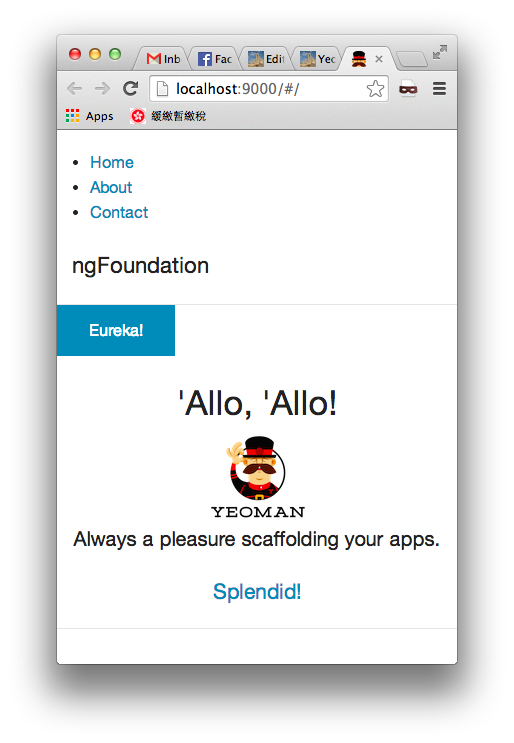
Done =)
Next: AngularJS directives of Foundation
Reference:

 Eureka!
Thank you! Just what I needed 🙂
LikeLike
Thanks for your comment and good to know i could help. =)
LikeLike
Thanks for the post! Just what I was looking for and more like this in the future please (angular and foundation5)! Bookmarking and following from now on, you rock man!
LikeLike
Glad to know that i could help and thanks for your comment~ =D
LikeLike
Hi. Thanks for this post. Really interesting stuff!
I followed it till end, and by the time I launched the server, my button wasn’t in the foundation style. I have a strong conviction that sass + compass is not working for me. In fact, my bower.json file is a bit different that yours in part 2. Any light you could shed on that? Thanks in advance.
LikeLike
what happen if you input compass -v in terminal? is that a valid command?
LikeLike