Sometimes we may want to have more than one domain name and all point to the same website. This can be done by setting up a rewrite in the Apache VirtualHost setting.
Assume we have setup a website with domain abc.com using the following VirtualHost setting. Continue reading Apache – Redirect Domain→
You can access the SVN repository through the HTTP protocol after you have integrated the SVN server with Apache. The following steps were done in Ubuntu Lucid (Ubuntu 10.04 LTS).
1. Install the Apache2, Subversion and libapache2-svn.
On performance point of view, .htaccess is read every time when the directory is loaded. and each directory can have it own .htaccess. so this may cause a performance hit but seems that it is not very significant. The Fubra Blog – .htaccess vs httpd.conf
On the other hand, the situation may bother your choice. Not every user got the permission on writing the httpd.conf file and they may even do not have the right to restart the Apache Server. In this case, you have to use .htaccess to restrict the access right.
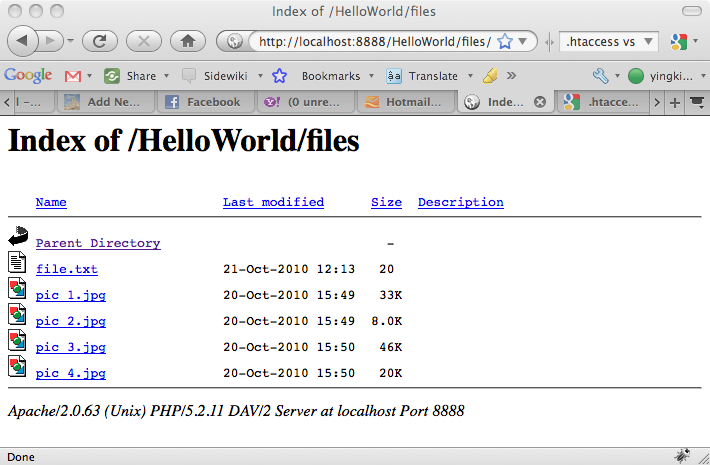
Usually, the web root directory has folders containing the some files and images. When user browse the directory url in the browser, he/she could access those files and images as shown in the following picture. Continue reading Apache – Disable Directory Listing→
Usually, people got more than one website in the Apache web server and sometimes they want to separate them into different domain names. This can be done by the Apache VirtualHost.
The following example is done in Mac MAMP, i guess the configuration on Linux and Windows should be similar. Let’s start now.
MAMP is Apache, MySQL and PHP runs on Mac. For Mac users, it is very convenient to use the MAMP package such that they don’t need to install the those application one by one. Moreover, MAMP package also bundled with some other useful programs as well as libraries such as phpMyAdmin and the PHP GD library. For more information, you can refer to the MAMP website.
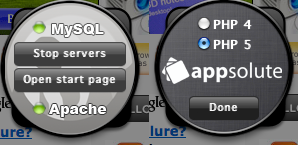
During the installation, you can include the MAMP control panel into you Mac Dashboard. This is quite helpful for you to start and stop the server. you can also pick either PHP4 or PHP5 by switching to the back panel by clicking the i button which is located under the Apache label on the front panel. Continue reading MAMP – Introduction→

 Eureka!