
1. Download Apache Solr 3.4 and extract it.
2. Also download the Drupal Apache Solr Search Integration module.
3. In the extracted Solr folder. go to ./example/solr/conf.
4. Backup the following files by rename them.
- schema.xml
- solrconfig.xml
- protwords.txt
5. Copy the following files from the <drupal>/sites/all/modules/apachesolr/solr-conf to <apache solr>/example/solr/conf folder above.
- schema-solr3x.xml
- solrconfig.xml
- protwords.txt
6. Rename the schema-solr3x.xml to schema.xml.
7. Make sure you have the following files in <apache solr>/example/solr/conf.
- solrconfig.xml
- schema.xml
- elevate.xml
- mapping-ISOLatin1Accent.txt
- protwords.txt
- stopwords.txt
- synonyms.txt
8. Go to <apache solr>/example and start the Solr server using the following command.
- nohup java -jar start.jar &
9. Now you can access the Solr admin with the following URL in browser.
- http://<server url>:8983/solr/admin/
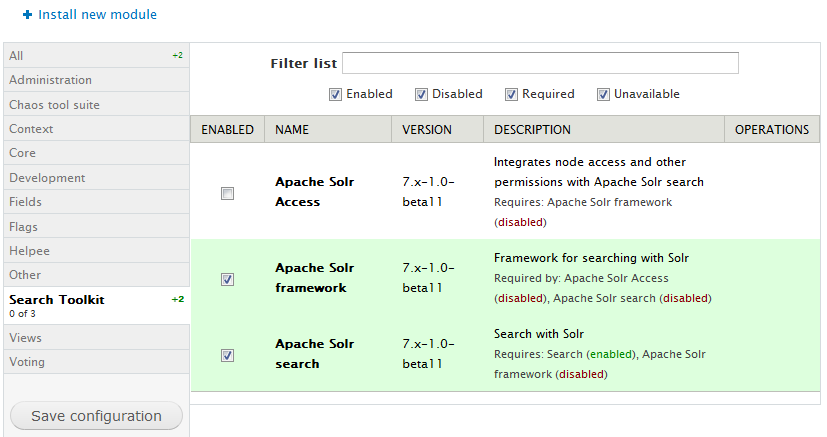
10. Now you can visit your Drupal website and enable the Apache Solr Search Integration module.
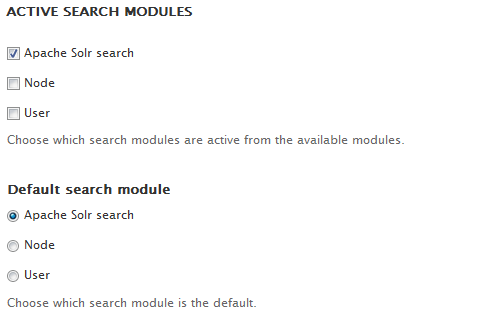
11. Go to admin/config/search/settings and set the Apache Solr as default search module.
12. Go to admin/config/search/apachesolr and run Index queued content, then you will find those unprocessed content.
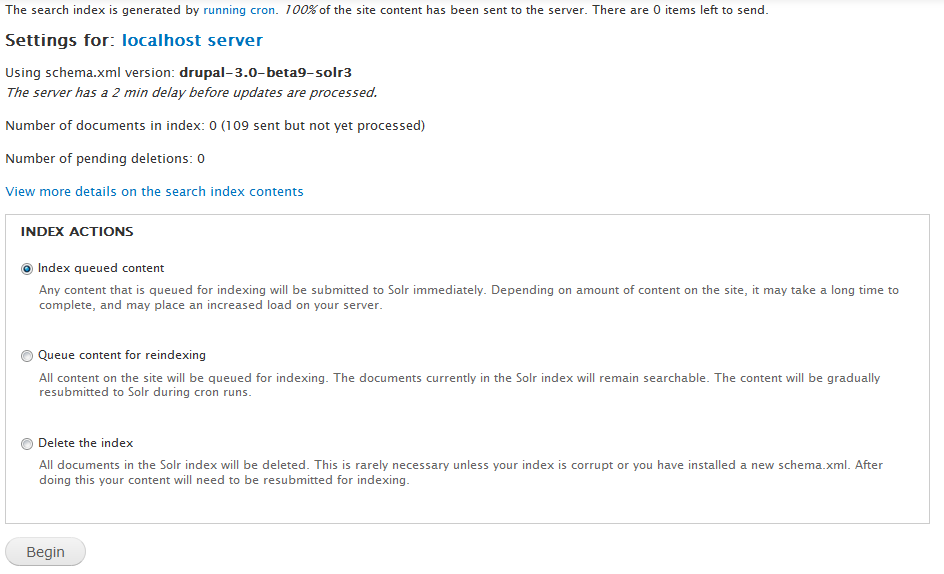
13. Run cron to complete the content indexing.
14. Try a search now.
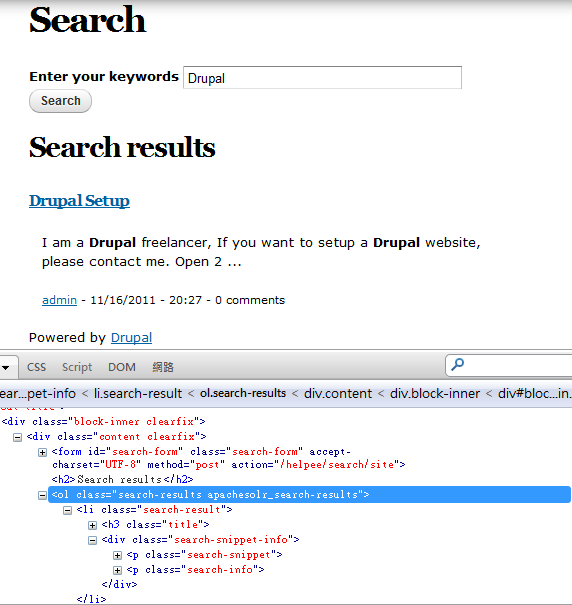
Done =)

 Eureka!
One thought on “Drupal 7 – Setup Apache Solr for site search”