
Xcode is the IDE for developing iPhone and Mac Program. It would be much more convenient for developers if the IDE is integrated with version control tools like Subversion.
Xcode is installed with the SCM tool. The following steps show you how to checkout a project from a SVN repository in Xcode.
1. Open Xcode
2. Go to SCM -> Configure SCM Repositories…
3. Add a new repository by pressing the + button
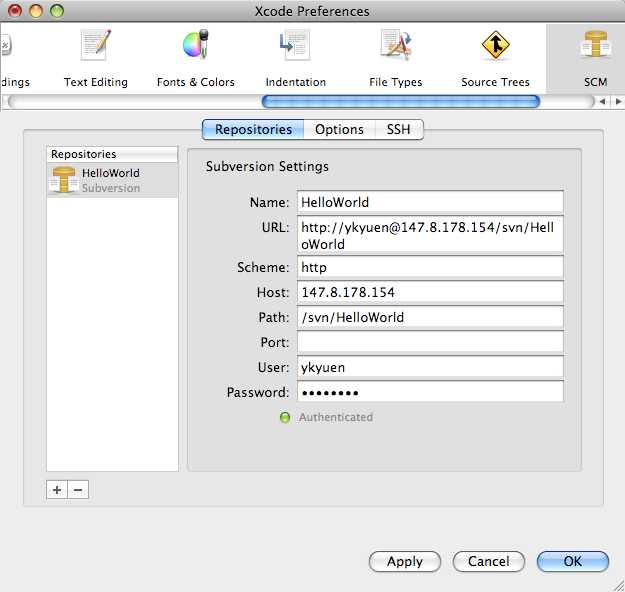
4. Go to SCM -> Repositories
5. Select the folder in the repository which u want to checkout and press the Checkout button
6. Open the project with Xcode after the checkout is completed

7. Go to SCM -> Configure SCM For This Project…
8. Select the corresponding SCM repository at the bottom of the General tab

9. There would be a M letter in the Group and Files column to indicate the file is modified

10. Right click the modified folder/file to Commit or Discard the changes
Done =)
Reference: Using Subversion with Xcode 3.0

 Eureka!