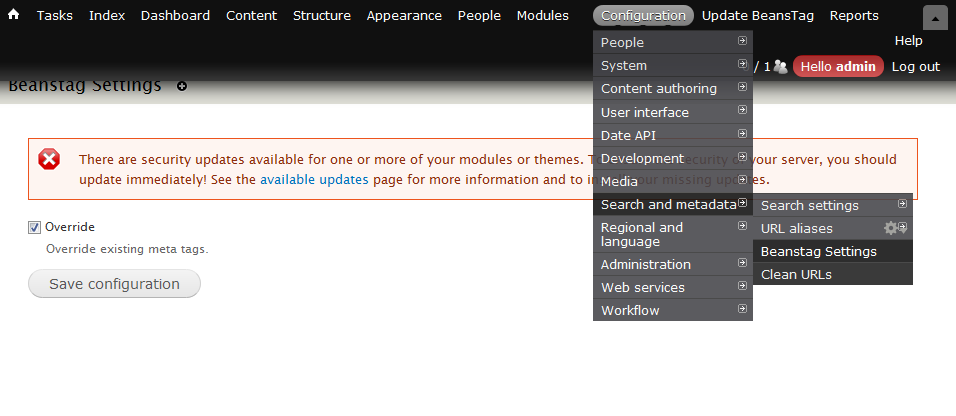
Originally, BeansTag will check if there is any existing meta tags in the page which is going to be rendered. If exists, the BeansTag module will do nothing.
As requested by a BeansTag user, recently i have added a BeansTag settings page where you disable this checking.
If this option is checked. BeansTag will override the existing meta data.
jQuery UI is included in Drupal 7 core. By default it is not included in every page, so if u want to implement those jQuery UI features, here is the little tricks you need.
Today i will continue the example written by Kevin Hankens and make the module more secure. We want to add a token in the Ajax request such that the server could check if it comes from a valid user. This token could be obtained from drupal_get_token() which will return a fixed token value for each user session. Here are the list of changes in the new eureka_ajax.module.
Set the token value in Drupal.settings in hook_init()
Add the token as query string in the theme_ajax_link()
Check if the token is valid in ajax_request_callback()
So this time we will add some access control on the above example. In Drupal 7 & 8 development, we could create new permissions by implementing the hook_permission(). After that we could modify the access arguments in the hook_menu(). Continue reading Drupal 7 – Simple Ajax implementation @ 2→
In this post, i will show you how to implement a simple Ajax function in Drupal 7. The following example code is based on the blog post written by Kevin Hankens about implementing Ajax in Drupal 6. Kevin Hankens’s blog – Drupal, jQuery and $.ajax() easyness


 Eureka!