
We can use PowerShell as a SSH client. If your SSH server requires key authentication, you can use the following command to add your private key before you could establish the SSH connection.
- ssh-add [key path]
If you private key is password protected, PowerShell will prompt for your password.
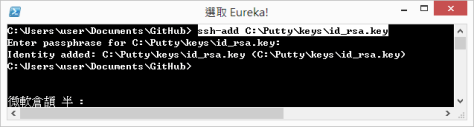
After you have added the key, you can now SSH to your server just like what you did in Linux.
- ssh [user]@[hostname]
Done =)

 Eureka!