
Here is an example which styles an HTML a link with a rounded corner button background.
<html>
  <head>
    <style type="text/css">
      #rounded {
        -moz-border-radius: 6px;    /* Firefox */
        -webkit-border-radius: 6px; /* Chrome & Safari */
        -khtml-border-radius: 6px;  /* Linux browsers */
        border-radius: 6px;         /* CSS3 */
        background-color: #FBBC17;
        padding: 4px;
      }
    </style>
  </head>
  <body>
    <div id="main">
      <a id="rounded" href="http://eureka.ykyuen.info">Eureka!</a>
    </div>
  </body>
</html>
This works perfectly on all browsers except on Internet Explorer.
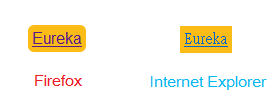
Luckily there is an workaround for IE. Go to download the border-radius.htc @ Google code – curved-corner
Update the .html as follow
<html>
  <head>
    <style type="text/css">
      #rounded {
        -moz-border-radius: 6px;    /* Firefox */
        -webkit-border-radius: 6px; /* Chrome */
        -khtml-border-radius: 6px;  /* Linux browsers */
        border-radius: 6px;         /* CSS3 */
        background-color: #FBBC17;
        padding: 4px;
        behavior: url(border-radius.htc); /* IE FIX */
      }
    </style>
  </head>
  <body>
    <div id="main">
      <a id="rounded" href="http://eureka.ykyuen.info">Eureka!</a>
    </div>
  </body>
</html>
Try again on the greatest browser.
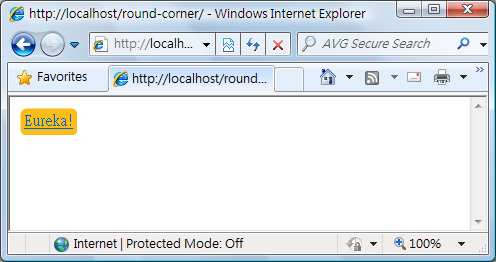
Done =)
Reference: Google code – curved-corner

 Eureka!