
When we create content type, sometimes we may want to have a combo field which is one single field contains more than one value. This can be done by using the Field collection module.
1. Download and enable the Field collection module.

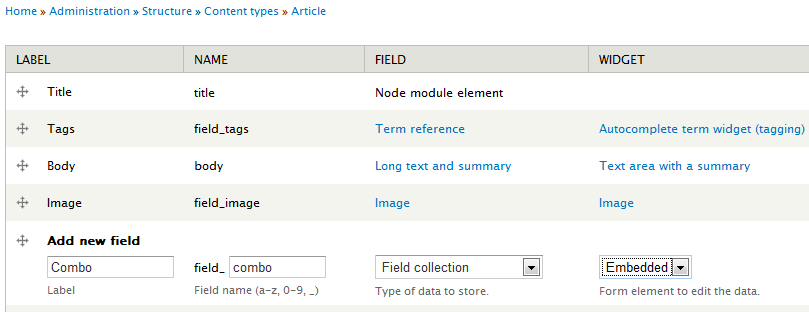
2. Edit any content type and add a Field collection field with Embedded widget. Set this field to multiple.
3. Go to admin/structure/field-collections and you will find the combo field you just created.
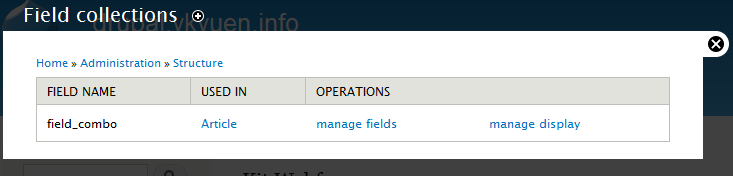
4. Add new fields to the new combo field.
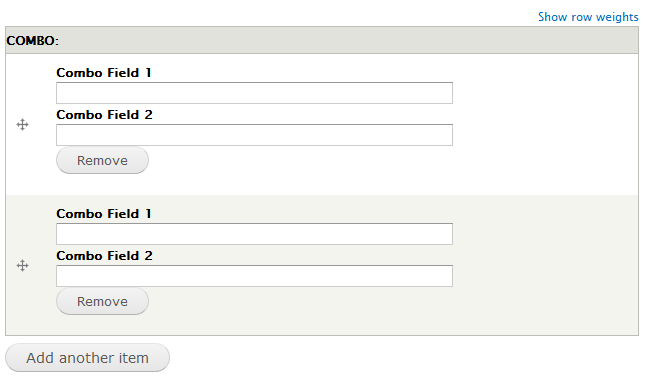
5. After the combo field is ready, create a new content and you should get the node add form as follow.
Done =)
Reference: Drupal module – Field collection

 Eureka!