
Last time we have talked about how to install Devise in Rails.
Rails – Setup Devise for Rails
Now we want to customize the Devise’s views.
Overriding the default Devise’s views is simple and straight forward, what we need to do is just generate those views in our app/views folder by the following single command.
- rails g devise:views
The following views are generated.
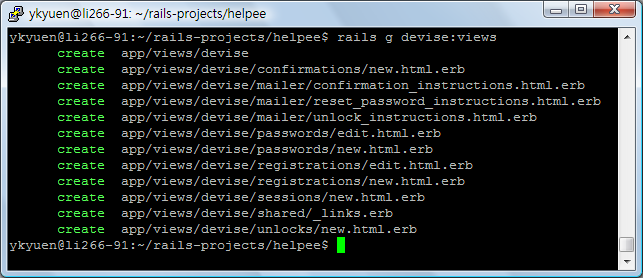
You can now customize the views listed above.
Done =)
Reference:

 Eureka!
it works, thanks
LikeLike