
Sometimes we need to change the view template file (.tpl.php) in order to customized the layout of the specific view. Before you start editing, you have to find out the corresponding .tpl.php for your view. This can be found in the Views setting page as shown below.
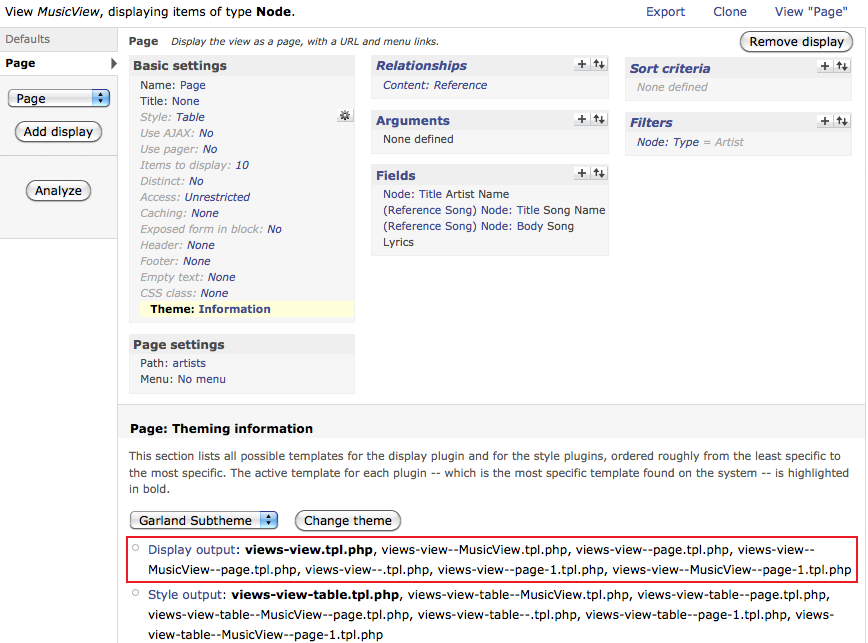
The current template is views-view.tpl.php which is located at <drupal_root>/sites/all/modules/views/theme. But we should not edit this template file directly since it control the layout of all views. Instead, we should copy the views-view.tpl.php to our current theme folder and rename it to views-view–MusicView–page-1.tpl.php where we should put our modification.
views-view–MusicView–page-1.tpl.php
...
  <?php if ($attachment_before): ?>
    <div class="attachment attachment-before">
      <?php print $attachment_before; ?>
    </div>
  <?php endif; ?>

  <?php if ($rows): ?>
    <div class="view-content">
      <!-- Add a div before showing the content -->
      <div id="eureka">Eureka!</div>
      <?php print $rows; ?>
    </div>
  <?php elseif ($empty): ?>
    <div class="view-empty">
      <?php print $empty; ?>
    </div>
  <?php endif; ?>
...
Then you can rescan the template file and you should find the current template is switched to views-view–MusicView–page-1.tpl.php.

The layout is changed.
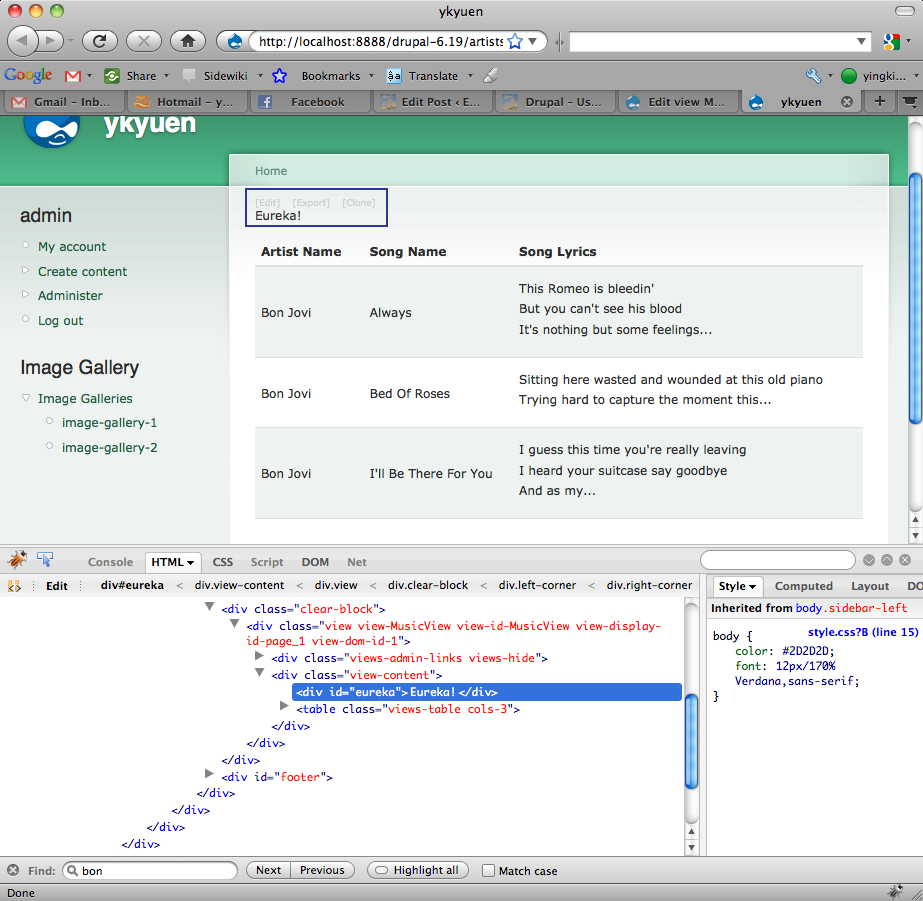
Done =)


Thank you! I was looking for the path of the .tpl.php file for hours!!
LikeLike