
The i18n module provides the Taxonomy Translation feature. After you have enabled it, edit the vocabulary which you want to localize and set the Multilingual options to Per language terms.
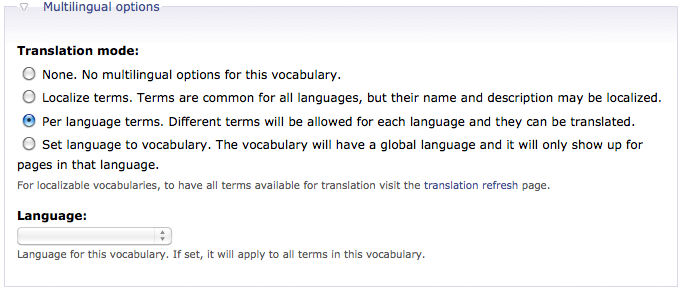
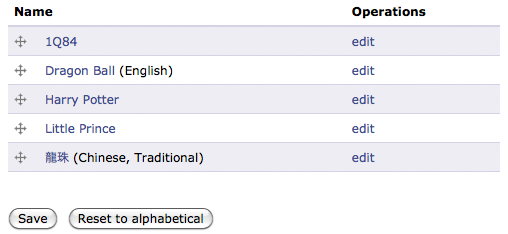
Previously i have a language neutral term called Dragon Ball. I set it to English and also create the corresponding Traditional Chinese term called 龍珠.
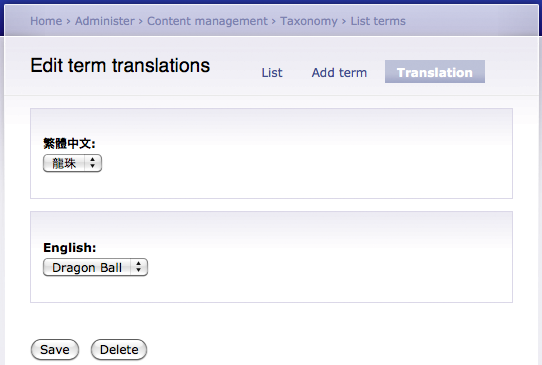
Next, go to the Translation tab and create a new translation by mapping the same terms in different language.
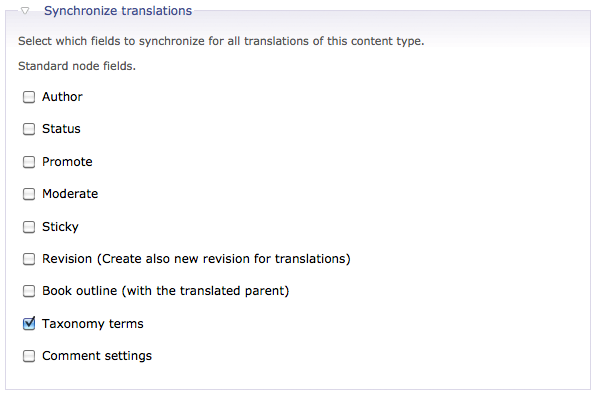
Enable the Multilingual options of the Story node type and add Taxonomy terms in Synchronize translations>.
Test it by creating a Story node and its translated node.
Done =)

 Eureka!
Hi
I did everything you said but at the end I cannot select taxonomy terms in drop list in translation tap, Why?
Thanks
LikeLike
please refer to the reply in the comment below.
LikeLike
Hi
Even if, I check “Per language vocabulary” the language drop list doesn’t appear at the bottom also the language drop list doesn’t appear for each term when I edit. How to make this language drop list appearing for terms to select a language for each term.
Thanks
LikeLike
Did you mean you have the translation tab but couldn’t find any available language for selection?
1. Are u working on Drupal 6?
2. Have you enabled more languages @ Administer –> Site configuration –> Languages?
LikeLike