
The view file in CakePHP is with .ctp extension. By default, Eclipse does not know which editor should be used to open this kind of file. If you associate it with PHP Editor in Preference -> General -> File Association, you will find there is no syntax highlight in the editor.
Here comes to the solution.
1. Go to Preference -> General -> Content Type
2. Select PHP Content Type under Text in the top right list
3. add *.ctp as follow
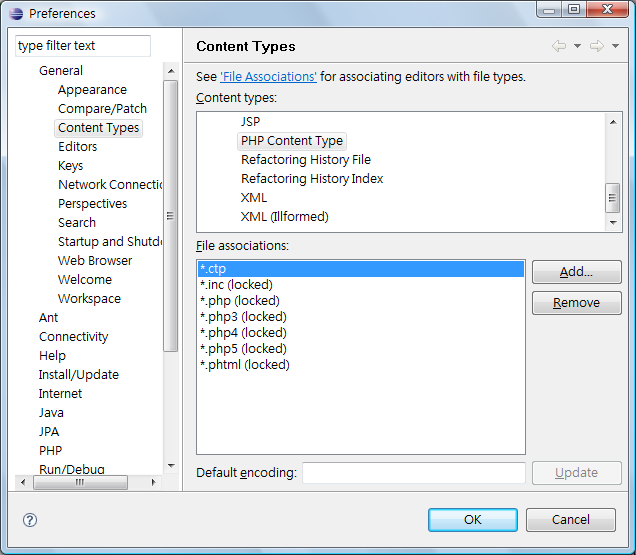
Done =)
Reference: Syntaxhighlighting for .ctp files in Eclipse

 Eureka!
it doesn’t work
LikeLike
Are u using the Eclipse for PHP?
LikeLike
I use Codelobster for it: http://www.codelobster.com
LikeLike
haha~~ thx for your comment.
LikeLike