
So we know how to install the Archiva.
Maven – Archiva Installation
The next task is to configure the Maven such that it will download the dependencies through the Archiva.
By default, Archiva has 2 Managed Repositories
1. Archiva Managed Internal Repository
2. Archiva Managed Snapshot Repository
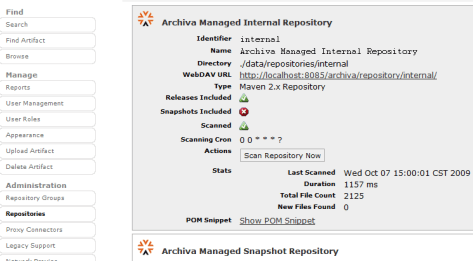
And also a Remote Repository
1. Central Repository
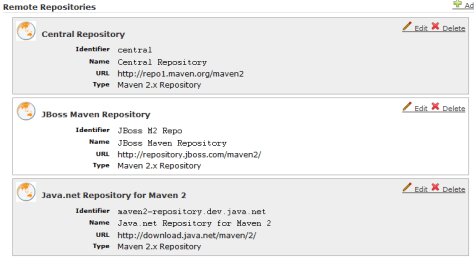
Since the Central Repository may not have the dependencies i want, so i have added 2 more remote repositories which is JBoss Maven Repository and Java.net Repository for Maven 2 as shown in the above picture.
Now, edit the settings.xml (Either the global or user specified) and add the following entry
  <mirrors>
    <mirror>
      <id>internal</id> <!--Managed Repositories Identifier -->
      <mirrorOf>*</mirrorOf> <!-- Remote Repositories Identifier -->
      <name>Archiva Managed Internal Repository</name>
      <url>http://147.8.178.246:8085/archiva/repository/internal</url>
    </mirror>
  </mirrors>
Please note that u can even Specified which remote repositories which you would like to mirrored in the mirrorOf node. * means all remote repositories are mirrored.
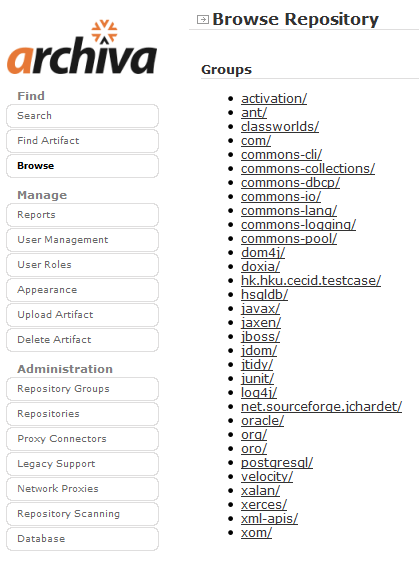
Save the settings.xml and now Maven will find the dependencies through Archiva. You can find the cached dependencies on the Archiva web interface.
Done =)


