We can also apply this font-family in the .css file but first we have to add our own .css file and included it in the theme.
Go to your theme folder and create a new folder named as css if it doesn’t exist. Then create your .css file there. After that, go back to the theme folder and add the following line in the <theme>.info file. Continue reading Drupal – Create your own CSS style→
Most of the time we would like to know more about our website visitors. The Webform module let you create your own form for and gather user information in a very convenient way.
If you find the fonts of your Drupal site quite boring. The @font-your-face module could make the text of your Drupal site more fun. Before proceeding, it would be great if your PHP is already enabled with the zip extension. but no worry if you doesn’t have the zip extension. We can still complete it without any problem.
Similar to ShareThis module, the Printer, the e-mail and PDF versions module create the Print, Email and PDF buttons on you node page.
Installed module and you can now modify its settings @ Administer –> Site configuration –> Printer, e-mail and PDF versions. Continue reading Drupal – Add Print Friendly and Email Buttons→
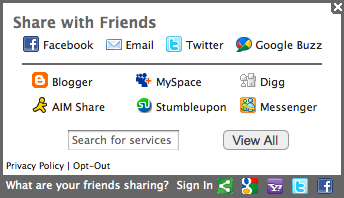
The ShareThis module let you add a share button on any node type such that you can share the node content to Facebook, Twitter, Google Buzz or any other channels as shown in the following picture. Continue reading Drupal – Share Node Content to Social Networks→
Sometimes we need to change the view template file (.tpl.php) in order to customized the layout of the specific view. Before you start editing, you have to find out the corresponding .tpl.php for your view. This can be found in the Views setting page as shown below. Continue reading Drupal – Customize a Specific View Layout by Views Template→
If you want to override the default breadcrumb HTML output, you can add the following theme_breadcrumb() function in the template.php under your current theme folder.
So if the Javascript/JQuery is related to the layout and independent of the module, we should add it in the theme instead. For example, i want to have a alert box whenever a page is loaded, i should then add it to my current Drupal theme. The steps are listed below.
1. Open you current theme folder and add the following line in the theme.info.

 Eureka!