
Since version 4.1, CKEditor introduced the Advanced Content Filter(ACF) which limits some HTML tags so as to match the editor configuration in the best possible way. But that’s really annoying to me.
In order to disable the ACF, goes to @admin/config/content/ckeditor.
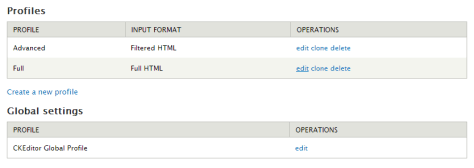
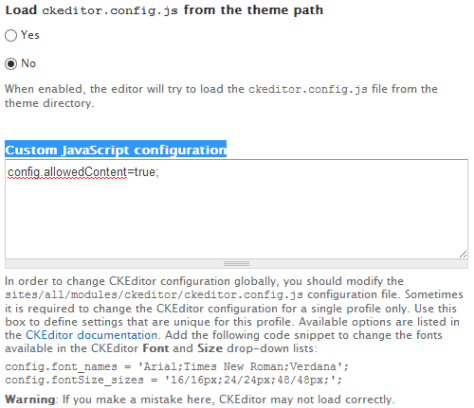
Select the profile and goes to Advanced Options. Add the following Custom JavaScript configuration.
- config.allowedContent=true;
Done =)
Reference:

 Eureka!
Sorry, even though I set this, the CKEditor will still remove all the inline styles.
LikeLike