
We can find the memory usage on a Ubuntu server using the following command
free -m

You can find that some memory is cached. If you want to release the cached memory, use the following command.
echo 3 > /proc/sys/vm/drop_caches
Check the memory usage again.
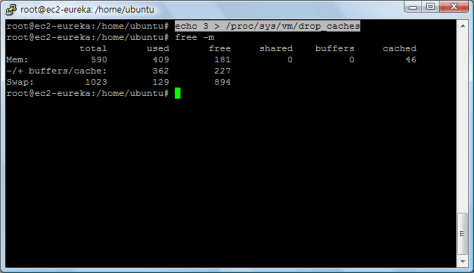
Done =)
Reference: Why is the cache in my memory always full?

 Eureka!