
Each Linux user may want to have timezone different from the server. In Ubuntu, you can set it using the tzselect command.
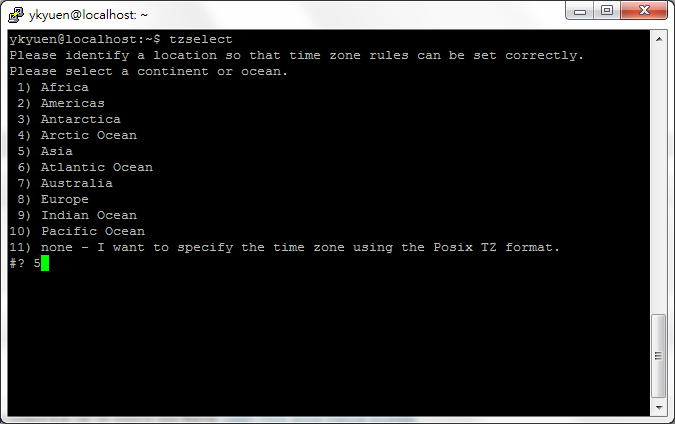
1. Run the tzselect command and select the continent or ocean.
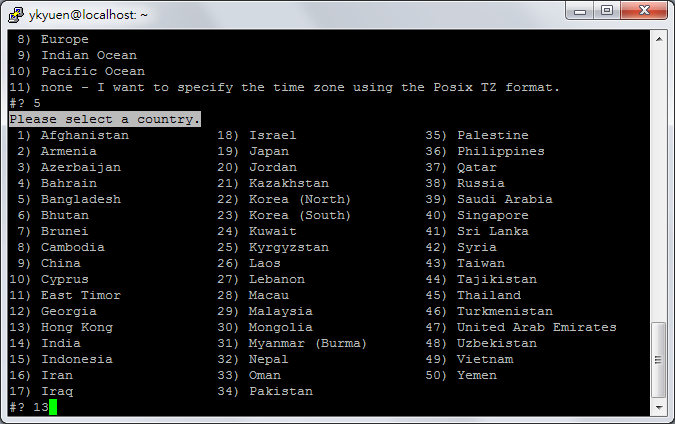
2. Select the location.
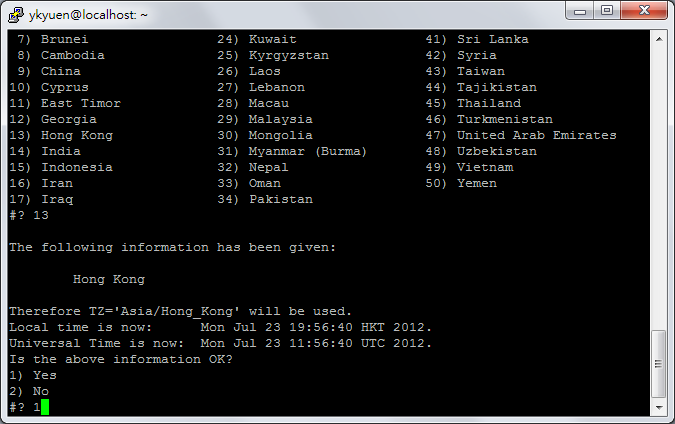
3. Confirm the selection
4. You will need to append the highlighted line to /home/<user>/.profile to make the change permanent.
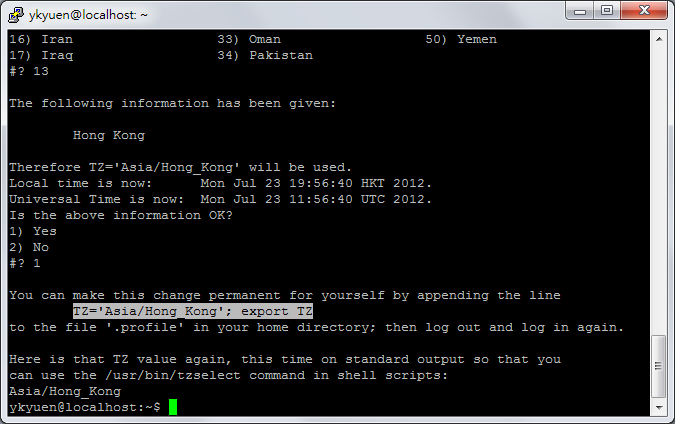
5. So edit and save the /home/<user>/.profile.
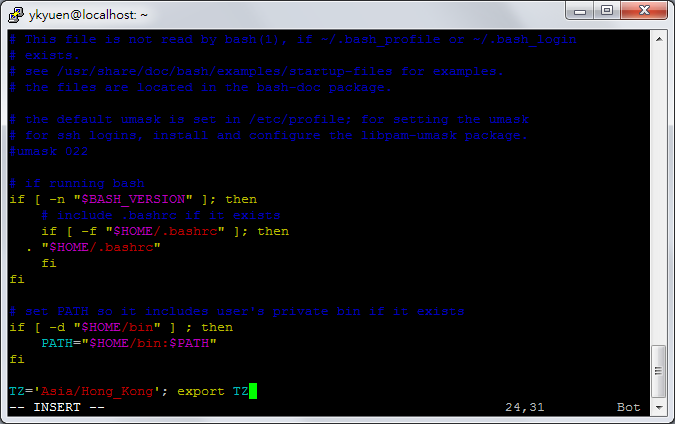
Close the session and login again, your timezone should take effect now.
Done =)

 Eureka!