
Yesterday we talked about creating a menu item without hyperlink.
Working with menus in Drupal 7 @ 1
Today i would like to share with you another module for creating drop down menu in just a few simple clicks. It is called Nice Menus.
1. Download and enable the module.

2. Go to admin/structure/block and you will find some blocks called Nice menu X.

3. Enable the Nice menu X block in any region you want and configure it. Set the Parent menu and Menu Style.
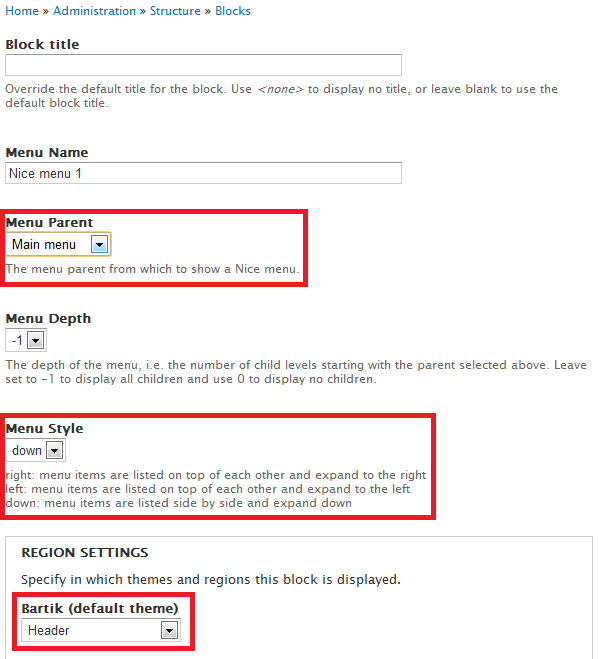
4. Now when i mouse over the parent item, the children will be shown.

5. You could create more Nice menu X blocks and the drop down effect time delay by configuration @ admin/config/user-interface/nice_menus.

Done =)
Previous: Working with menus in Drupal 7 @ 1
Next: Working with menus in Drupal 7 @ 3
Reference: Nice Menus

 Eureka!
2 thoughts on “Working with menus in Drupal 7 @ 2”