
In Drupal development, you always need to work with menus. In coming posts, i would like to share 2 very useful modules when working with Drupal menu. This post is about creating a menu item without hyperlink.
Drupal menu allows parent and child hierarchy as shown in the following picture.
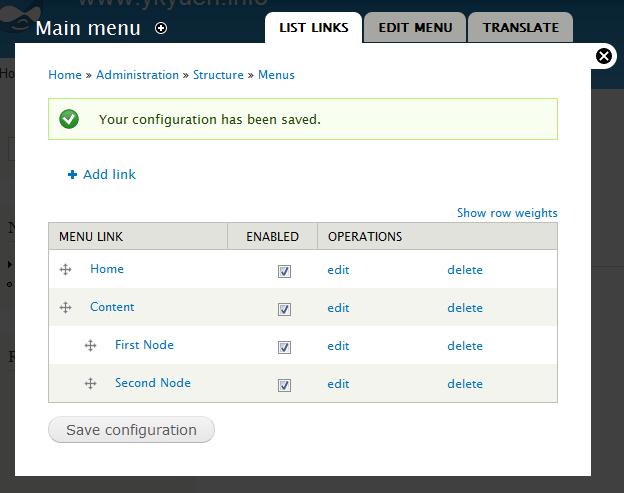
Sometimes we don’t want to have a link on the parent item such as Content in the above example but the core menu module does not allow a menu item without menu path. In this case, the Special menu items module could help.
1. Download and enable the module.
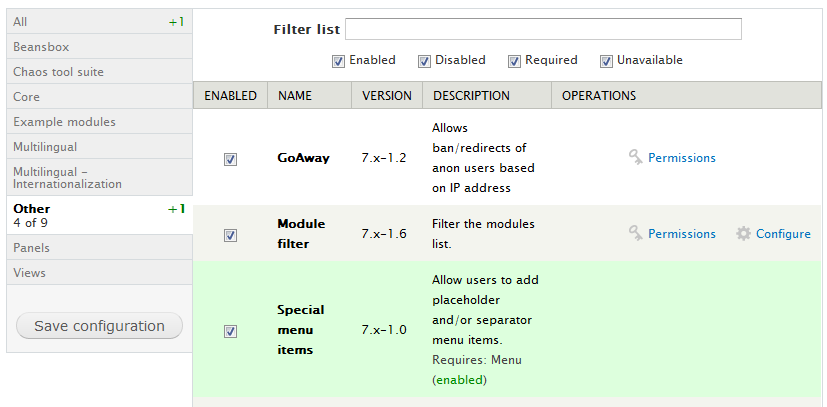
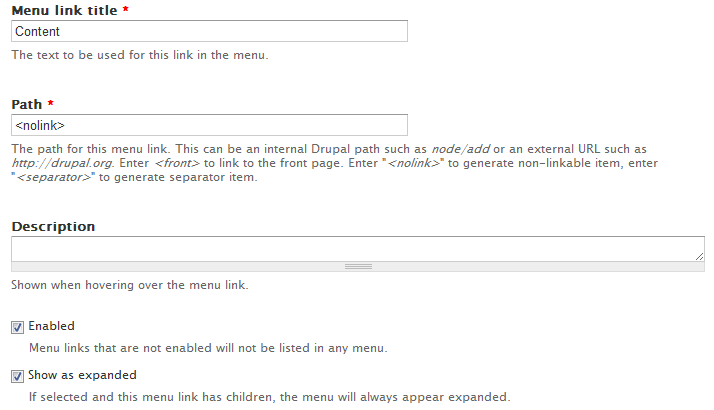
2. Edit the parent menu item and input <nolink> in the path field and select the Show as expanded checkbox.
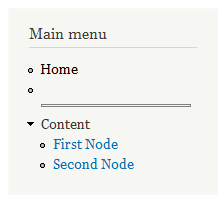
3. Now the link of the Content menu item is gone. This is useful when you want to create a drop down menu.

4. And you can also try the <Separator> in the menu path.
Done =)
Next: Working with menus in Drupal 7 @ 2
Reference: Special menu items module

 Eureka!
3 thoughts on “Working with menus in Drupal 7 @ 1”