
When you are editing a comment in Drupal, there is not delete option in the form.
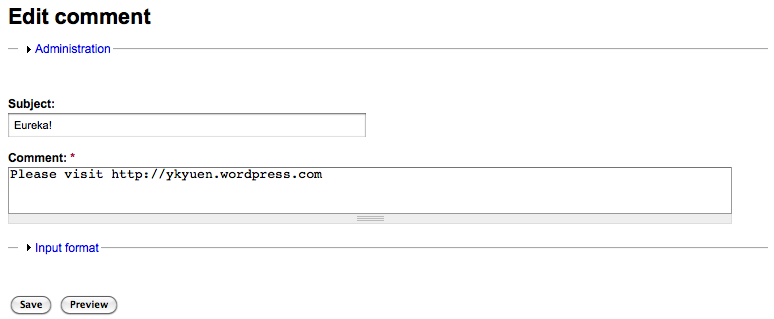
To create a delete link, we have to theme the edit comment form.
1. Implement the hook_theme() as follow.
/**
 * Implementation of hook_theme().
 */
function <module_name>_theme(){
  return array(
    'comment_form' => array(
      'arguments' => array('form' => NULL),
    ),
  );
}
2. Add the following theme function in the theme template.php.
/**
 * Theme the output of the comment_form.
 */
function <theme_name>_comment_form($form) {

  $delete_link = "";

  if (user_access('administer comments') && user_access('post comments')) {
    // Enable the delete link only with the above permissions
    if (!empty($form['cid']['#value'])) {
      $delete_link = '<a href="/comment/delete/' . $form['cid']['#value'] . '">Delete</a>';
    }
  }

  return drupal_render($form) . $delete_link;
}
3. Clear the cache and try editing a comment. The delete link is ready now.

This post is based on an article by Tom Kirkpatrick about customize the edit comment form in Drupal 6.
System Seed – How to customise the comment form in Drupal 6. Thanks Tom.
Done =)
Reference: System Seed – How to customise the comment form in Drupal 6

 Eureka!