
I just start working with Magento and it is quite different from Drupal. Probably i need to spend more effort on it before we become friends. =P
After the installation, i found that i have no way to change the content in the right sidebar. I know i need to edit some template files but i have no idea which one i should edit. After spending an hour on Google, i figured a way to determine the template path.
Login to the Magento backend and go to System -> Configuration. Then select Main Website in Current Configuration Scope on the top left hand corner.

Click Developer under ADVANCED in the left menu and select Yes for Template Path Hints as well as Add Block Names to Hints under the Debug section.

Refresh the page view and you will find there are extra red blocks indicating the content template path.
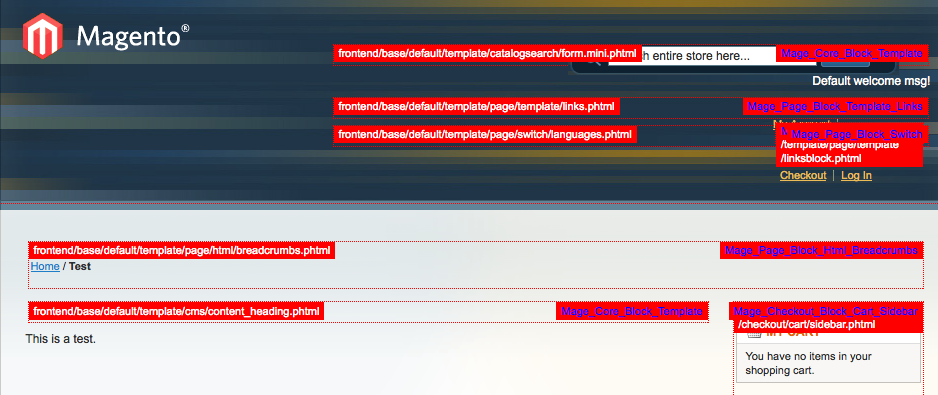
Done =)
Reference: Magento Forum – Template Path Hints

 Eureka!