
Sometimes we may want to set the page title with url argument. This could be done by adding the following code in the page argument section of view setting.
$view->display['display-indentifier']->handler->handlers['argument']['argument-identifier']->options['title'] = "Node id: $argument";
return true;
This display-identifier could be found by moving your mouse over the displays and it will be shown in the url tail. Similarly the argument-identifier can be found out by hovering your mouse over the argument in the arguments section.
Previously, i have set up a view which shows all the songs of a singer.
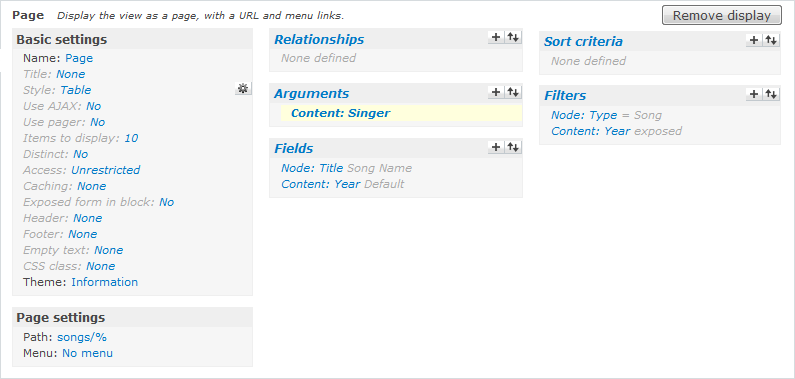
So in the argument setting, use PHP Code as the argument validator and enter the code above with correct display-identifier and argument identifier.
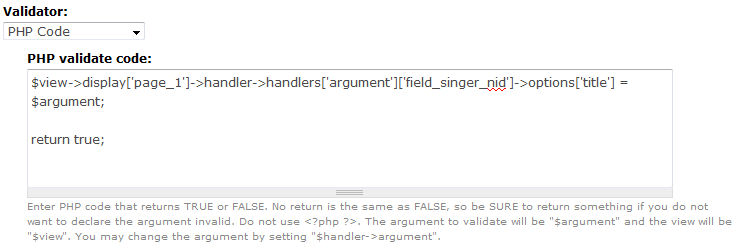
Save your view and you should get the page title as expected. Please note that it does not work in content pane.
Done =)
Reference : Change the page title of a view in Drupal + Views 2 using Argument Handling Code

 Eureka!