
The Nodewords module could help you to add meta tags to any pages of your Drupal site. Let’s try it now!
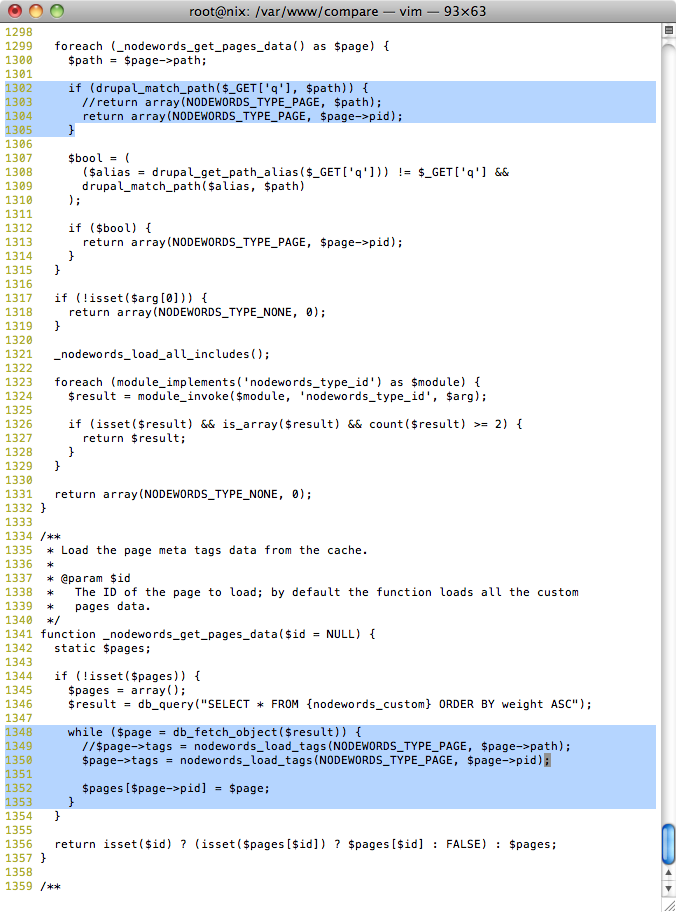
In this example, the Drupal version is 6.19 and the Nodewords module is 6.x-1.11. There is a bug in this Nodewords version and you can never save the meta tag for other page. Luckily, someone has created a patch and just edit the nodewords.module as follow.
// Comment line 1303 and replace it as follow
if (drupal_match_path($_GET['q'], $path)) {
      //return array(NODEWORDS_TYPE_PAGE, $path); // @line 1303
      return array(NODEWORDS_TYPE_PAGE, $page->pid);
}
...

// Comment line 1349 and replace it as follow
while ($page = db_fetch_object($result)) {
      //$page->tags = nodewords_load_tags(NODEWORDS_TYPE_PAGE, $page->path); // @line 1349
      $page->tags = nodewords_load_tags(NODEWORDS_TYPE_PAGE, $page->pid);

      $pages[$page->pid] = $page;
}
You should got sth like this.
For more information about the bug, please refer to Meta tags for “other pages” are not used
After downloaded and applied the patch for Nodewords module, enable the Nodewords and Nodewords – basic meta tags.
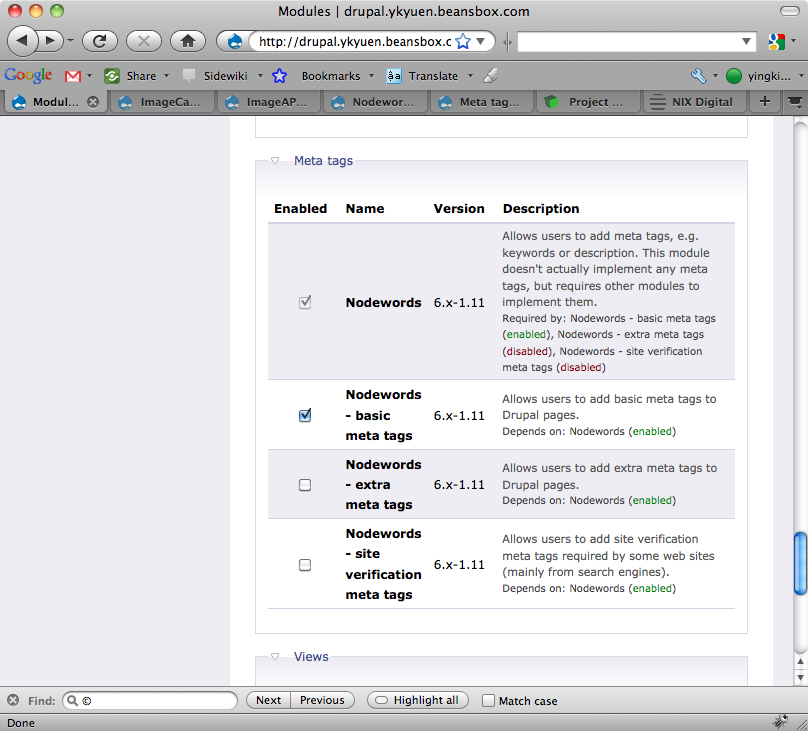
Then you could manage the meta tags at <drupal_root>/admin/content/nodewords or Administer -> Content management -> Meta tags.
Enable the meta tags which you want to show in the HTML pages.

Go to Default specific meta tags -> Other pages, Click Add meta tags for a new page. If i want to add meta tags at http://<drupal_root>/item-list, fill in item-list in the Path field.

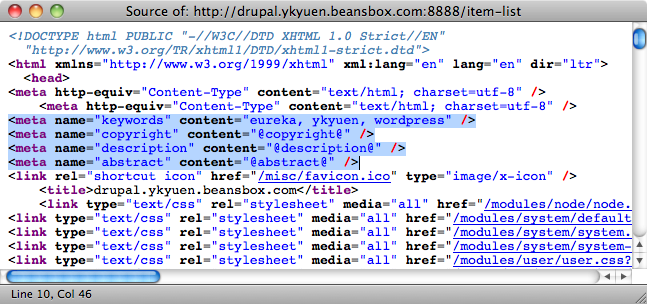
Save the settings and you should find those meta tags you just set.
Done =)
Reference:

 Eureka!