
You can create you own customized view in Drupal with the help of the Drupal Views module. The Views module not only help you creating your own designed Pages but also the customized Blocks, Feed and Attachments. The following example shows you how to make use of the Views module to create a table view for all the Listed Item content type which i created a few days ago. You can refer to the following posts about for creating new content type.
Here comes the Views module.
1. After installed the View module, you will find the Views option in the Site Building page

2. Try to add a new View, please note that the View Type will determine whether u want to display nodes, comments or other information in the new view.
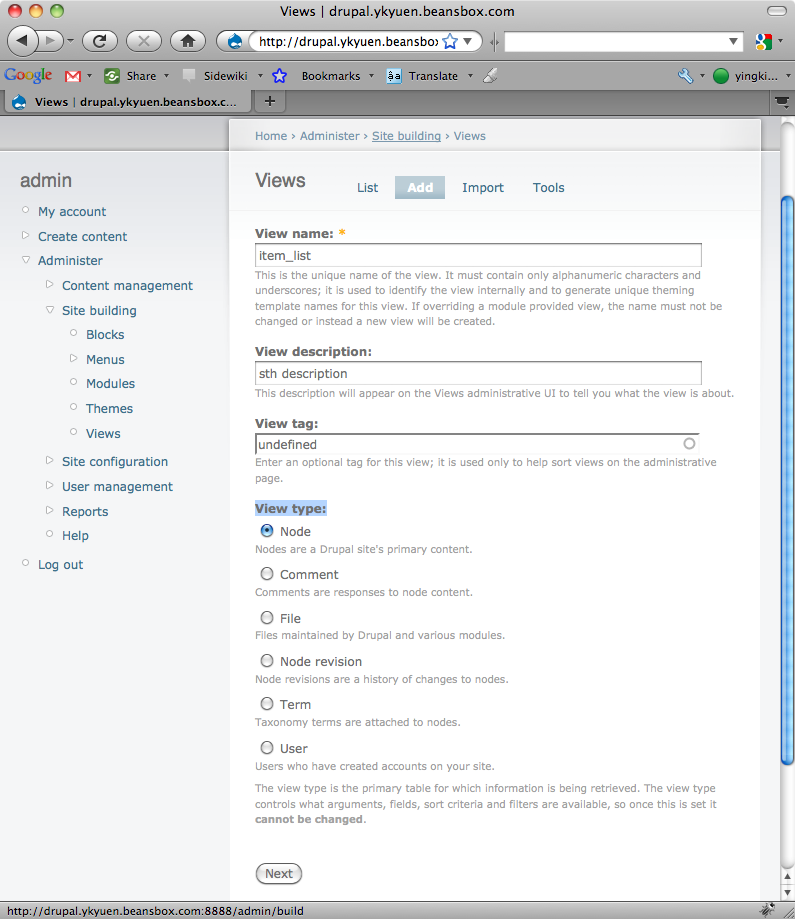
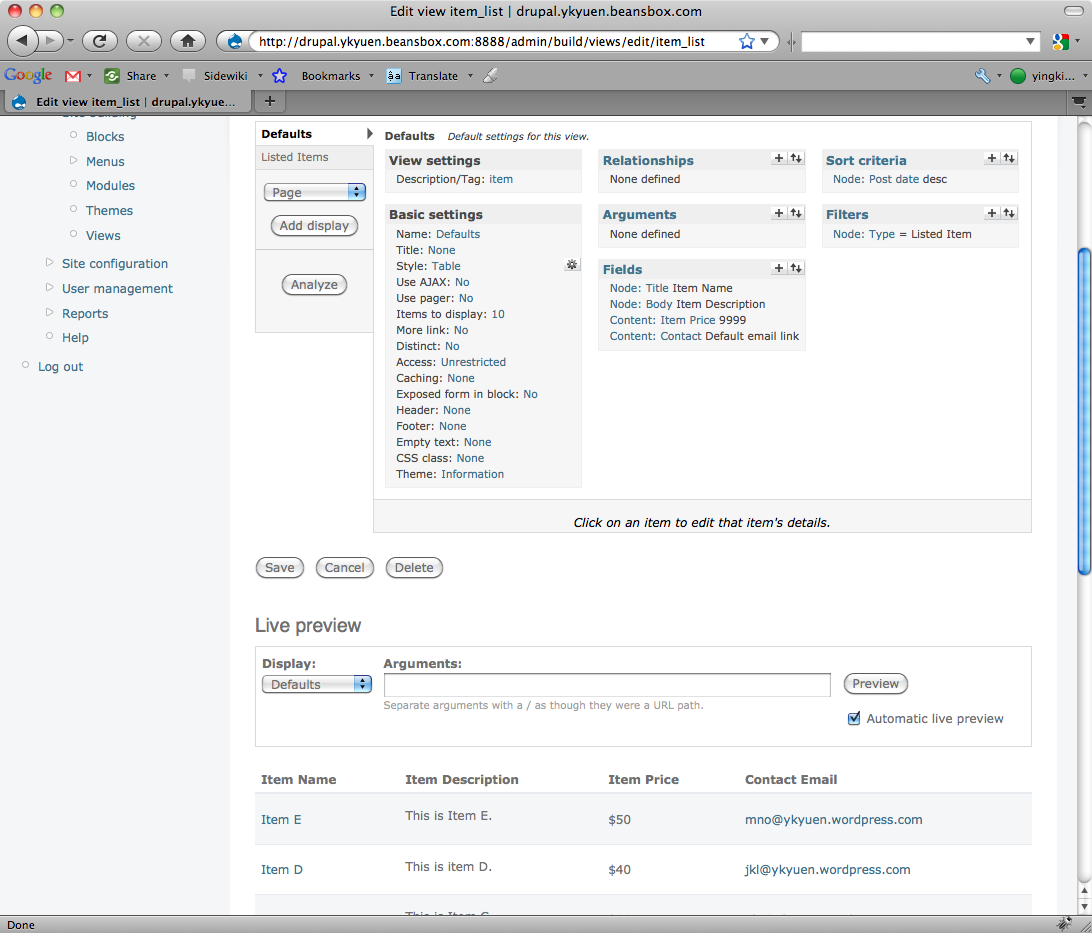
3. Go to the Edit page of the newly created view. So now you can define some default settings of this view. For example
- I want to show the view in Table form, so i changed the Basic Settings – Stype = Table.
- The fields to be displayed are configured under the Fields box.
- I only want to display the Listed Item content type, so i added a Filter with value = Node: Type = Listed Item.
4. After completing the default setting, you can add a page display and set the path to whatever u want.
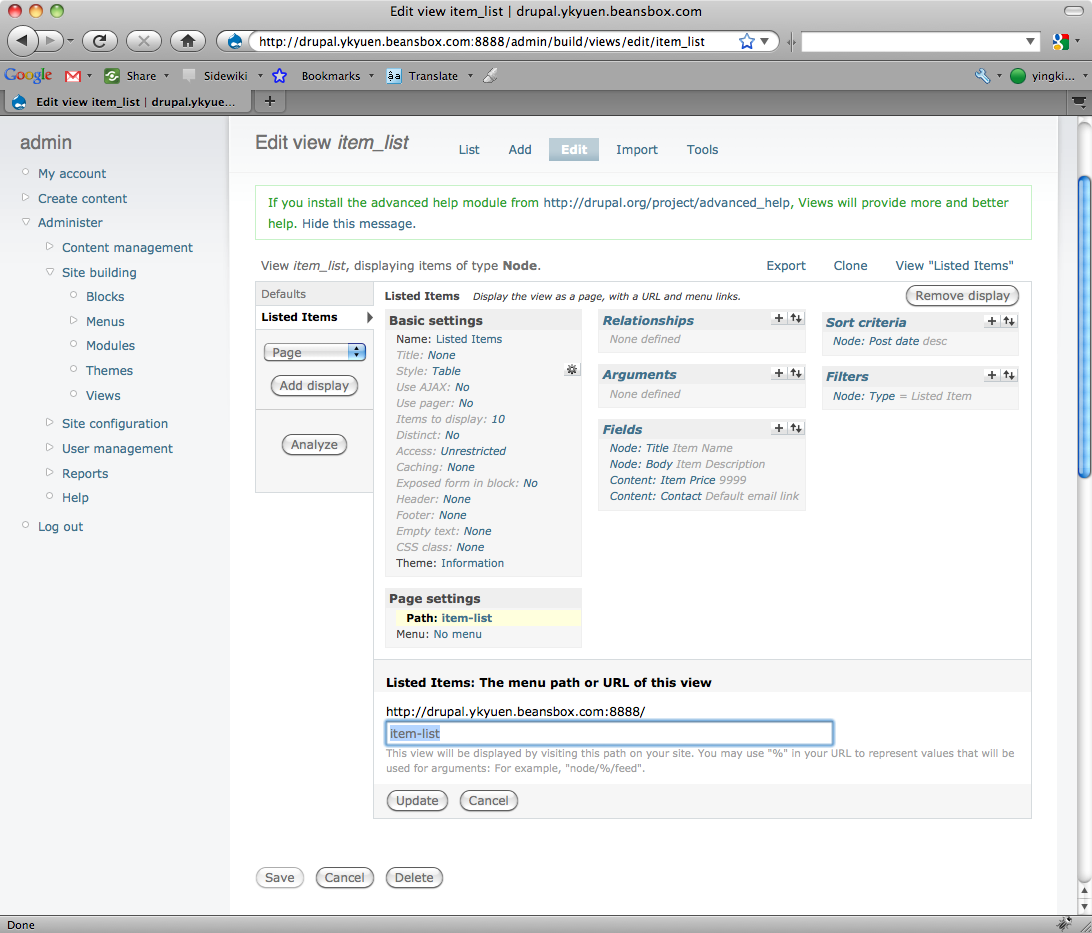
5. Press the save button and then you view is done.

Done =)
The Views module could do much more than what i have mentioned above. Check it out in the reference below or Google what you need.
Reference: Drupal Module – Views

 Eureka!