
Previously, i was working with an web application which allows me to upload a certificate into a keystore. Unfortunately, it only accept certificate in Base64/PEM format but not binary. So i have to convert the certificate into Base64/PEM and this could be done by Portecle.
Portecle is a very useful Java program with User Interface which make keystore and certificate management a piece of cake. The following screenshots show you how to get the Base64/PEM encoding from a binary certificate.
1. Download the Portecle at here
2. Open the extracted folder and start the Portecle GUI by java -jar portecle.jar
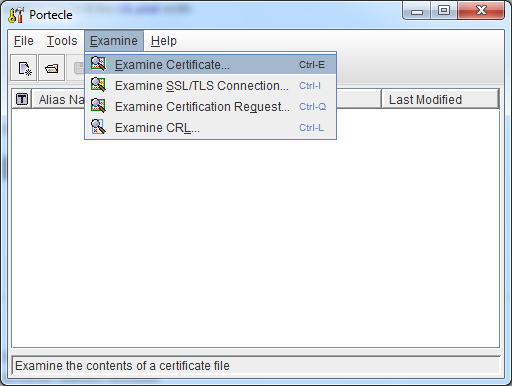
3. Select Examine at the toolbar and click Examine Certificate…
4. Browse the certicate and you will see the certificate details
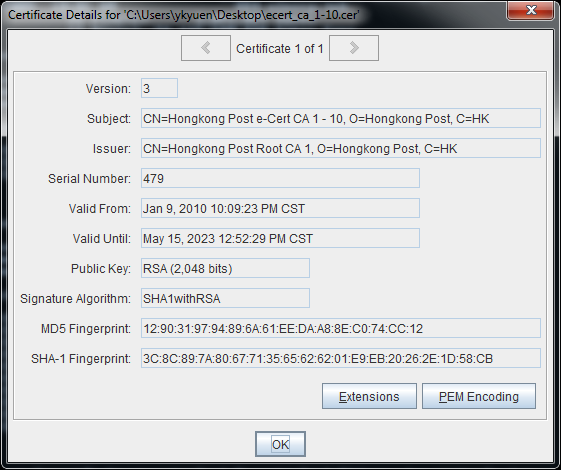
5. Click PEM Encoding and a window with Base64 content is prompted
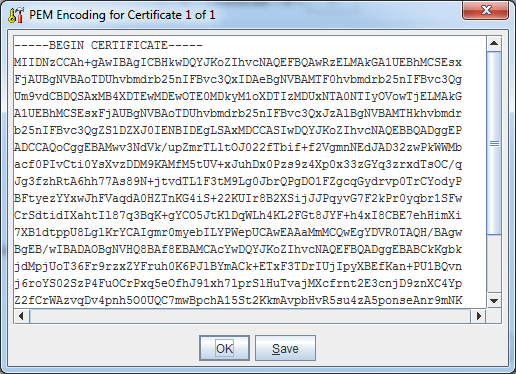
6. Save the PEM certificate by clicking the Save button
Done =)
Reference: Portecle Home

 Eureka!