
You can add a .htaccess file to secure your web folder with password protection. Let’s assume the location web folder is /home/ykyuen/public_html
1. Change directory to /home/ykyuen/public_html
- cd /home/ykyuen/public_html
2. Create the password file .htpasswd using the htpasswd command
- htpasswd -c .htpasswd <username>
* Please refer to the man page for htpasswd usage
3. Create the .htaccess file
AuthName "Password Required"
AuthType Basic
AuthUserFile /home/ykyuen/public_html/.htpasswd
require valid-user
4. Check it out thru a web browser
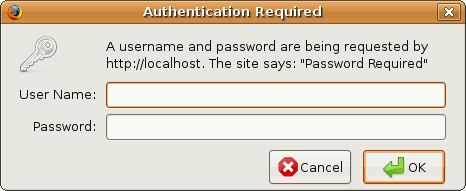
Done =)

 Eureka!
One thought on “.htaccess – Setting Password For Your Web Folder”