
AntInstaller is a useful tools for building a self-extract installer which is able to collect user input and run specific Ant targets from a build.xml file.
I am not familiar with using AntInstaller. You can download and find more information at sourceforge – AntInstaller.
After download the AntInstaller, open it with Java
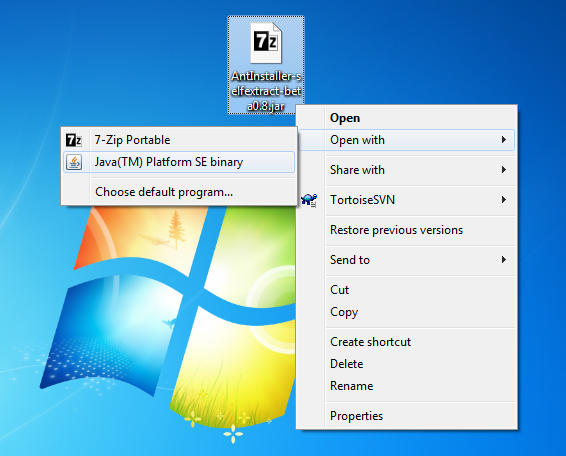
Actually the downloaded jar(ex. AntInstaller-selfextract-beta0.8.jar) itself is a self-extract installer. so unpack the AntInstaller files by proceeding the AntInstaller GUI.

Now you can try building the HelloWorld self-extract installer. The following build.xml is the corresponding build script which can be found at C:\AntInstaller-beta0.8\examples\buildtypes\selfextract\build.
build.xml
<?xml version="1.0"?>
<!--

This Ant script is used to package parts of the demo app to create an installer

the selfextract target shows an example of creating a self extracting jar for the demo app

run with ...

ant -buildfile build-demo.xml

-->
<project name="Create Demo Installer Zip Build"  default="selfextract"  basedir=".">

    <!-- Default location in installed tree -->
    <property name="installDir" location="../../../.."/>

    <path id="taskdef.cp">
        <fileset dir="${installDir}/lib">
			<include name="ant-installer-ext.jar"/>
            <include name="ant-installer.jar"/>
        </fileset>
	</path>

	<taskdef
		name="installer"
		classname="org.tp23.antinstaller.taskdefs.Installer"
		classpathref="taskdef.cp"/>

	<property name="demo.dir" value="${installDir}/demo"/>

	<target name="selfextract">
		<mkdir dir="../artifacts/selfextract"/>
		<echo message="Building DEMO SELFEXTRACT"/>

		<installer file="../artifacts/selfextractpack.jar" compress="true"
				extractType="SelfExtractor"
				installConfig="../installer/antinstall-config.xml"
				buildFile="../installer/build.xml"
				antInstallLib="${installDir}/lib"
				antLib="${installDir}/antlib"
				validateConfig="true"
				failOnError="true"
				icons="bluecurve">
			<fileset dir="${demo.dir}/artifacts">
				<include name="installpack.zip"/>
			</fileset>
			<fileset dir="${demo.dir}/installclasspath">
				<include name="resources/*"/>
			</fileset>
		</installer>
	</target>
</project>
As you can see, building a self-extract installer is simply done by using a Ant task called installer. You can create your own antinstall-config.xml and build.xml as well as the required files and set them within the installer task.
Let’s build it now.
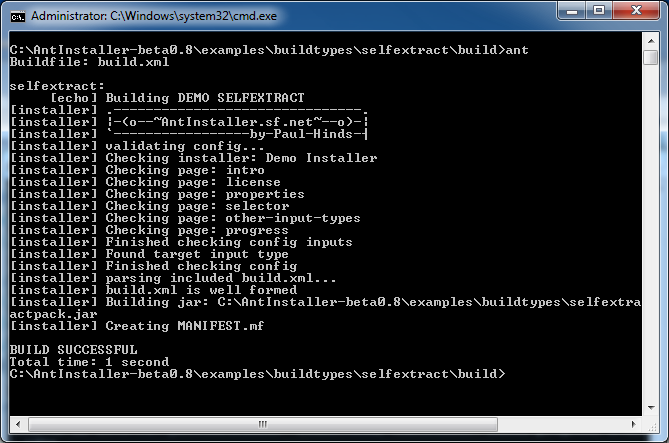
After the build, u can found the self-extract installer at C:\AntInstaller-beta0.8\examples\buildtypes\selfextract\artifacts. Run it with Java.
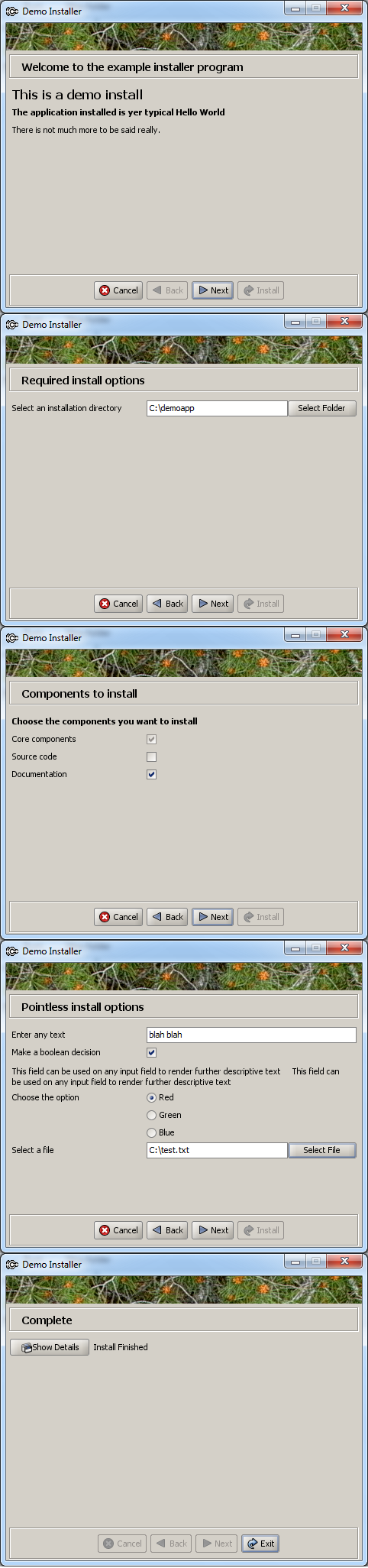
The installation is completed and u can run it by double clicking the C:\demoapp\run.cmd
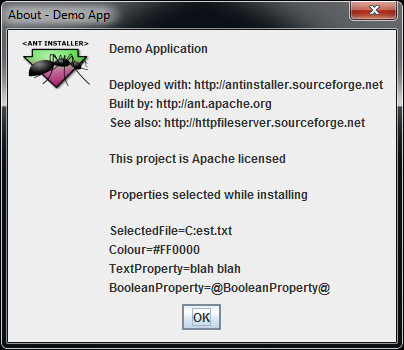
Note that the string “C:\test” entered in the installation progress is wrongly interpreted. Try to escape the “\” by “\\”.
Done =)

 Eureka!