
Eclipse is the one of the IDEs for building Android application. This article shows u how to install the Android Development Tools (ADT) Plugin in Eclipse.
Eclipse Platform – Galileo
******************************
1. Start Eclipse and click Help > Add New Software
2. Add a new site with the following information
- Name – Android Plugin
- Location – https://dl-ssl.google.com/android/eclipse/
3. Select the Development Tools checkbox and start the installation ADT plugin
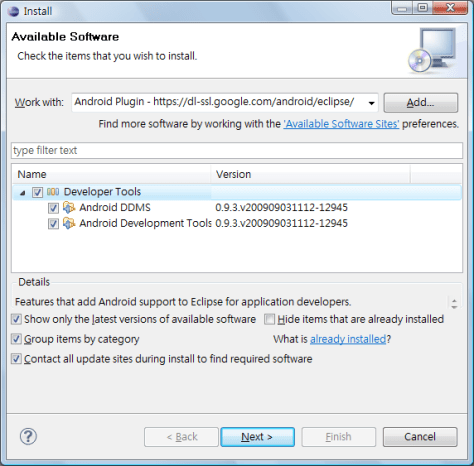
4. Accept the agreement and restart the Eclipse
5. Set the Android SDK in Windows > Preferences
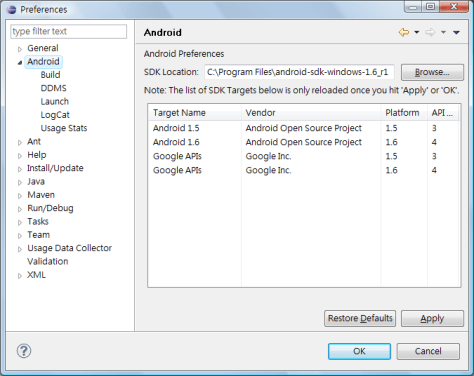
Done =)
Reference: Android Developer – SDK Installation

 Eureka!